

Every day a customer somewhere types a service plus near me into Google and a small map with three businesses appears above everything else on the page. If your business is not one of those three, you already lost that customer before they even reached your website. Most local business owners blame low sales on the economy or on competition, but the real problem is usually sitting quietly inside their own Google Business Profile. Below are the ten mistakes that quietly push local businesses out of view, and exactly what to fix instead.
Mistake One: Leaving the Profile Half Filled Out
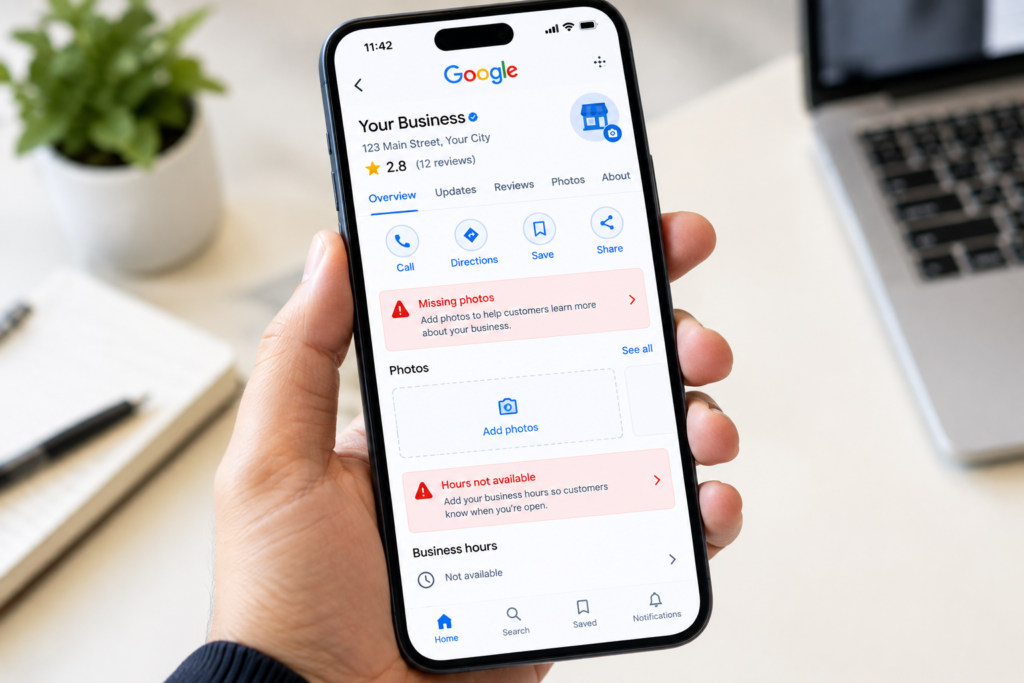
Many business owners create a Google Business Profile, add a name and a phone number, then walk away and never come back. Google rewards profiles that are complete and punishes ones that look abandoned. A finished profile includes a full business description, accurate hours, every service you offer, your website link, and attributes such as wheelchair access or online booking if they apply. A half filled profile signals to Google that the business may not even be active anymore.
Mistake Two: Picking the Wrong Primary Category
Your primary category tells Google exactly what type of business you are and which searches you should appear for. A dentist listed under medical clinic instead of dentist, or a taxi company listed under transportation service instead of taxi service, will lose visibility for the exact searches that matter most. Take a few minutes to check every available category and choose the one that matches your core business as closely as possible, then add relevant secondary categories underneath it.
Mistake Three: Ignoring Customer Reviews
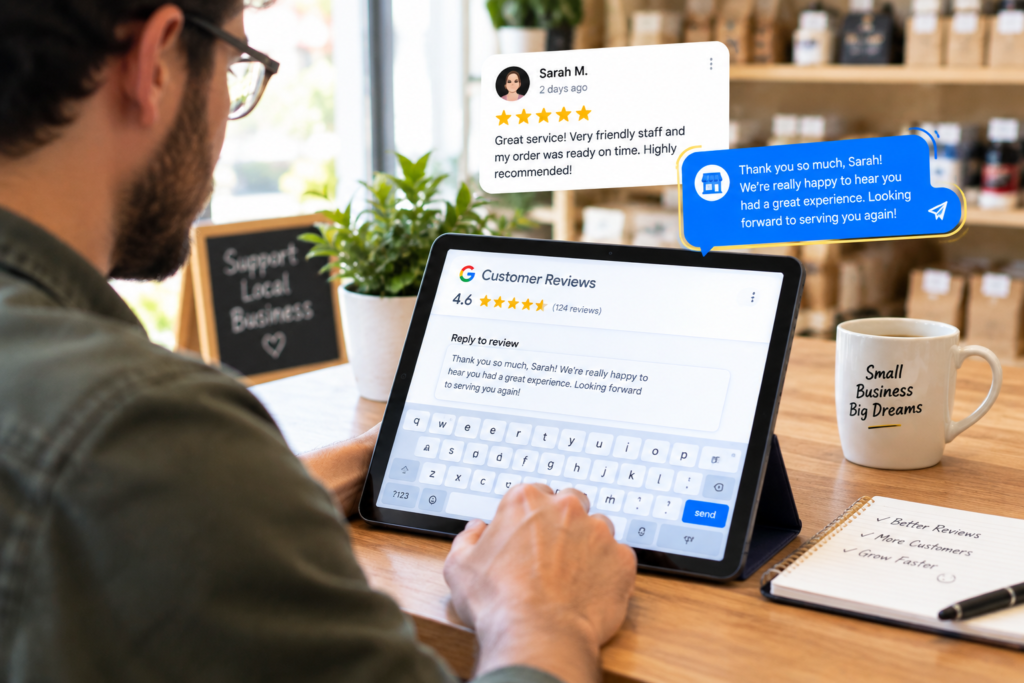
A profile full of reviews with zero replies from the owner looks neglected, even if every review is positive. Google notices when a business regularly responds to reviews, and customers reading those replies decide whether they trust you before they ever pick up the phone. Reply to every review within a few days, thank happy customers by name, and respond to unhappy ones with patience and an offer to make things right rather than ignoring them or deleting the moment.
Mistake Four: Using a Fake or Shared Address
Some businesses list a virtual office or a home address just to appear in more areas than they actually serve. Google has become very good at detecting this pattern and will suspend or hide profiles that use addresses the business does not genuinely operate from. If you run a service business without a storefront, use a service area setting instead of faking a location, since this keeps your profile compliant while still showing up for nearby searches.
Mistake Five: Never Posting Updates
Google Business Profile allows you to post short updates the same way you would on social media, yet most businesses never touch this feature after setup. A profile with no recent activity looks stale next to a competitor who posts weekly offers, new services, or recent projects. Posting even once every week or two tells Google the business is active right now, which quietly helps your ranking over time.
Mistake Six: Using Blurry or Stock Photos
Customers judge a business within seconds of looking at its photos, and Google uses photo quality as part of how it ranks a profile as well. A blurry logo, an outdated storefront picture, or generic stock photography that could belong to any business creates instant distrust. Upload real, clear photos of your team, your location, your vehicles, or your finished work, and update them regularly so the profile always reflects the business as it looks today.
Mistake Seven: Inconsistent Business Information Across the Web
Your business name, address, and phone number need to match exactly everywhere they appear online, including your website, social media pages, and any directory listing. A phone number that is correct on Google but outdated on a directory site confuses both customers and Google itself, and this kind of inconsistency is one of the most common reasons a business quietly loses trust in local search results without ever knowing why.
Mistake Eight: Ignoring the Questions and Answers Section
The questions and answers section on a Google Business Profile is public, which means anyone can ask a question and anyone can answer it, including people with no connection to your business. Owners who never check this section often end up with wrong information sitting there permanently, or with a competitor answering on their behalf. Check this section regularly, answer new questions quickly, and even add a few common questions yourself so real answers appear first.
Mistake Nine: Never Checking the Profile Performance Data
Google Business Profile provides free insights showing exactly how customers found you, what they searched to reach you, and what action they took afterward, whether that was calling, visiting the website, or asking for directions. Business owners who never open this data are essentially flying blind, making decisions based on guesses instead of what customers are actually doing. Reviewing this data monthly reveals which search terms are already working so you can build more content around them.
Mistake Ten: Stuffing Keywords Into the Business Name
Adding extra words like best plumber in the city or cheap taxi service directly into the official business name field might look like a clever shortcut, but Google explicitly prohibits this and profiles that break this rule risk suspension entirely. This mistake can undo every other improvement made to a profile in a single move. Keep the business name exactly as it appears on your signage and licensing, and let your description and posts carry the keywords instead.
Final Thoughts
None of these ten mistakes are difficult to fix on their own, yet together they explain why so many good local businesses stay invisible while a less impressive competitor sits at the top of the map. Local search rewards businesses that show up complete, active, honest, and consistent everywhere they appear online. Going through this list one item at a time this week can genuinely change how many calls and bookings come in over the following months.
At Star Digital Agency we manage Google Business Profiles for local businesses around the world, fixing exactly these kinds of mistakes so our clients show up first when a customer is ready to book.